Google Ads Overspending Budget
Google Ads spending more than your daily budget? How to check what you'll pay
The two limits Google bills against, the formula after a budget change, the 1 June 2026 ad-schedule change, and where an overspend credit shows up.

By Kaan Catalkaya, Founder of AdCtrl
· · 16 min read
Short answer
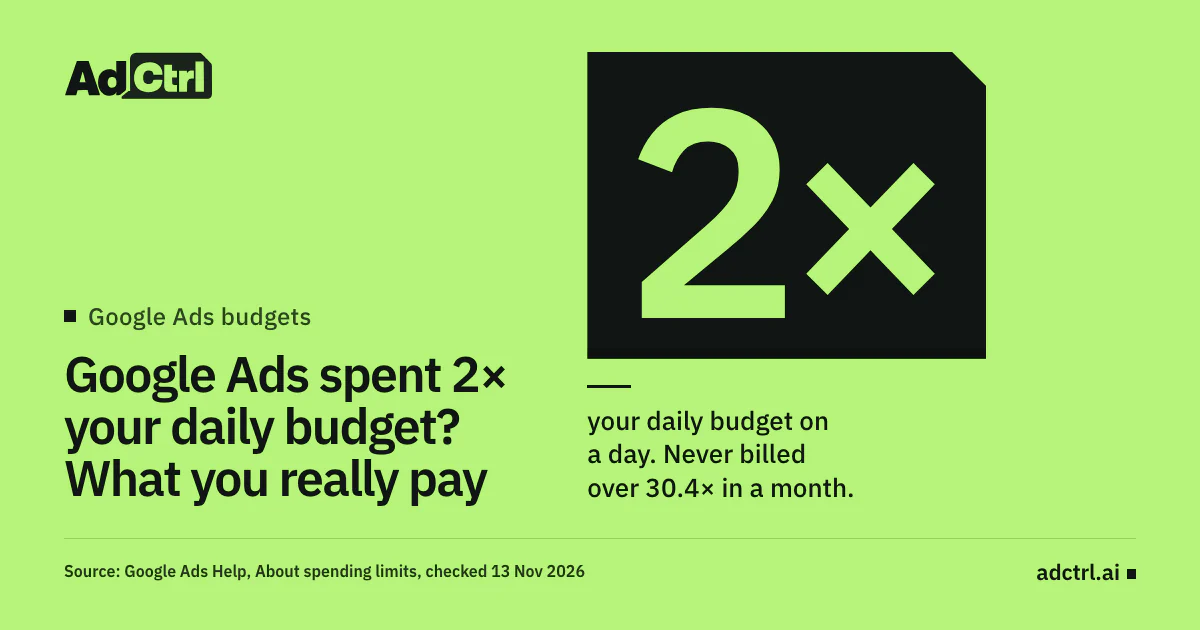
- Google Ads can spend up to 2× a campaign's average daily budget on one day. For most campaigns you're never billed more than 2× on a day or 30.4× in a month.
- After a budget change, the month's limit is what you've already spent plus the new budget times the remaining days, so a flat 30.4× is the wrong yardstick.
- Since 1 June 2026, campaigns that a day-of-week ad schedule switches off on some days pace toward the full 30.4× month.
- Served cost can go over the limits; billed cost can't. The Billed cost report shows the gap, and Billing Summary shows the credit.
- The only hard cap is a campaign total budget: 3 to 90 days, for Search, Shopping and Performance Max, and only in a new campaign.
Check daily cost against your Google Ads budgets in Claude or ChatGPT
Start free3-day free trial · no card needed
Google Ads spending more than your daily budget is normal. The daily budget is an average, and for most campaigns Google may spend up to 2× it on one day1. Your bill is capped twice: at most 2× the budget for a day, and 30.4× it for a month (365 ÷ 12, the average month). Check the month, not the day.
We run a Google Ads agency, and we build AdCtrl, which reads daily cost and budgets inside Claude or ChatGPT and prepares budget changes as previews.
Each step below has the manual route first. If your problem is the opposite, a campaign spending too little, go to Google Ads not spending. For a whole-account review, the Google Ads audit checklist covers budgets as one check of forty.
Checked 13 November 2026 against Google Ads Help1.
Why did Google Ads spend more than my daily budget?
Google Ads spent more than the daily budget because the number you typed in is an average daily budget, and Google treats it as one. Google says a campaign spends more on some days "to take advantage of fluctuations of traffic"1.
So a single 2× day is allowed. These numbers decide whether your bill is right:
- 2× the most you're billed for one day, in daily budgets
- 30.4× the most you're billed in a calendar month
- 1 Jun 2026 ad schedules started pacing to the full month2
- 3–90 days the only budget type with a hard cap3

Illustration: a Google Ads daily budget works as a monthly average, not a daily cap. A campaign can spend up to 2× it on one day, and you're never billed more than 30.4× it in a month.
One exception: a "Pay for Conversions" campaign has no daily limit at all, though it still stays within the monthly one. Google writes both limits "for most campaigns", so an unusual campaign type is worth a look at its own Help page.
How much can Google Ads charge me in a month?
Google Ads can charge a campaign at most 30.4 times its average daily budget in a calendar month. A campaign that started mid-month only counts the days it ran1. For an account, add up the limit of each budget: each campaign's own budget, and each shared budget once.
Both limits apply to what you're billed, not to everything the campaign served. Google keeps two numbers, and its own example for a 10 USD daily budget shows the difference:
Served cost
The cost of every click or impression the campaign got. It can go over a limit: in Google's example, clicks worth 23 USD on one day, or 310 USD over a month.
Billed cost
What you actually pay after adjustments, such as invalid activity. In the same example you pay 20 USD for the day (the 2× limit) and 304 USD for the month (the 30.4× limit). Google covers the other 3 and 6 USD.

Screenshot of Google Ads Help, About spending limits, read on 13 November 2026, with the daily limit highlighted: 2 times the average daily budget for most campaigns. The monthly limit of 30.4 times sits just below it.
If you're planning a month rather than checking one, divide the monthly amount you want to spend by 30.4 to get the daily budget to enter, or use the ad budget calculator.
What does a budget change mid-month do to the limit?
A budget change mid-month replaces the 30.4× limit with a new one: what the campaign has already spent this month, plus the new average daily budget times the remaining calendar days. Google's example: "$103 USD spent so far + ($10 USD/day * 7 days remaining in November) = $173 USD monthly spending limit"3.
Two more rules from the same page catch people out:
- The edit day: on the day you change the budget, the daily limit uses the highest budget you set that day. Lower a budget from 50 to 20 USD at lunch and that day can still bill up to 100 USD.
- The end date: changing a campaign's end date counts as a budget change for the monthly limit, even if the budget stays the same.

Illustration of Google's formula after a budget change, with Google's own November example: 103 USD already spent, plus 10 USD a day for the 7 days left, gives a monthly limit of 173 USD. On the day of the change, the daily limit uses the highest budget set that day.
Why did spending go up after 1 June 2026?
Spending went up after 1 June 2026 for campaigns whose ad schedule switches them off on certain days of the week. From that date Google paces those campaigns toward the full 30.4× monthly limit "regardless of ad scheduling usage", where before they paced toward the budget times the days they ran2. Schedules that only switch off certain hours of the day are not affected.
The billing limits didn't change, and Google still won't run a campaign on a day the schedule switches it off. Only the target changed, so a weekday-only campaign now spends more per active day. Google gives the most such a month can cost:
- 15 scheduled days or fewer: daily budget × 2 × scheduled days, because the 2× daily limit caps each day.
- 16 days or more: daily budget × 30.4.
Google's first example in numbers: a 100 USD budget scheduled on 20 days used to pace toward 100 × 20 = 2,000 USD. Now it paces toward 100 × 30.4 = 3,040 USD, so keeping the old spend takes a budget of about 66 USD (66 × 30.4 ≈ 2,000).
| Budget and scheduled days | Paced toward before | Most it can cost now | Budget for the old spend |
|---|---|---|---|
| 100 USD on 20 days | 2,000 USD | 3,040 USD | about 66 USD |
| 100 USD on 10 days | 1,000 USD | 2,000 USD | 50 USD |
| 200 USD on 10 days | 2,000 USD | 4,000 USD | 100 USD |
Since 1 June 2026 all three schedules pace toward the full 30.4× month. With 15 scheduled days or fewer the 2× daily limit caps each day, so the 10-day rows can cost at most budget × 2 × days (100 × 2 × 10 = 2,000 USD), and Google's suggested budgets use the same sum.
Source: Google Ads Help, Changes to Google Ads budget pacing for Ad Scheduling, read 13 November 20262
The change applies to every campaign type that supports ad scheduling, Performance Max, Search, Display, Video and Shopping included, and to every campaign in a shared budget. Some third-party posts give an earlier date for this change; Google's own page says 1 June 2026.
What happens if you're billed over the limit?
Being billed over the limit shouldn't happen: when served cost goes over a daily or monthly limit, Google covers the difference1. Google's credits page says that when it shows your ad too much, the account "will receive a credit to cover the excess costs". Two places in Google Ads show whether that happened:
| Where to look | What it shows |
|---|---|
| Campaigns menu, Report editor, Template gallery, Billing, Billed cost | Served and billed cost for each campaign; served minus billed is what you didn't pay for |
| Billing icon, Summary | The adjustments on the account, including overdelivery credits and credits for invalid clicks Google missed |
| An invalid-activity credit's details | The original invoice number and month of service of the invalid traffic, so you can match that credit to its month |
Two places in Google Ads answer "was I billed for the overspend": the Billed cost report for the amounts, and Billing Summary for the credit.
Source: Google Ads Help, About spending limits and Understanding credits and adjustments to your account, read 13 November 20261, 4
If billed cost is above 2× the budget on a day, or above the month's limit, and no credit shows, contact Google Ads support with the campaign, the dates and the billed cost.
Is a shared budget making one campaign look like it overspent?
A shared budget can make one campaign look like it overspent, because a shared budget is one average daily budget split across several campaigns. Google moves budget the other campaigns don't use to the ones that are capped by budget5. One campaign can then spend well above what you'd think of as its part of the budget, without anything being wrong.
Shared budgets exist for Search, Shopping, Display and Video campaigns. Check them against the shared budget's own report, under Tools, then Budgets and bidding, then Shared budgets. The 1 June 2026 pacing change applies to every campaign in a shared budget, with or without an ad schedule.
How do I check a campaign against its limits?
Checking a campaign against its limits takes three numbers: its daily cost, its average daily budget, and its month-to-date cost against the monthly limit. Google's budget report shows all three for most campaigns, with "the monthly spending limits, monthly forecast, and cost to date" at the top and daily spend against the daily limit below, and arrows on the days the budget changed6.
Performance Max campaigns have no budget report, so their daily cost has to come from the campaign report by day. The budget report also warns that ad schedules aren't reflected in its forecast.
Open the budget report.
Manual: Campaigns, hover over the campaign's budget in the Budget column (or click the pencil), then View budget report. For a shared budget: Tools, Budgets and bidding, Shared budgets.
With AdCtrl: write "Show daily cost for this month for each enabled campaign next to its average daily budget."
Mark any day above 2× the budget.
Manual: compare each day's spend in the bottom half of the report with the daily limit. For Performance Max, segment the campaign report by day. A day over 2× isn't a problem yet; step 5 shows whether you paid for it.
Find this month's limit.
Manual: 30.4 × the budget if nothing changed; spent so far + new budget × remaining days after a change or an end-date change.
With AdCtrl: write "Show which campaigns had a budget change in the last 30 days, and on which date." It shows when a budget changed, not the old and new amounts; Google's change history shows those.
Compare month-to-date cost with that limit.
Manual: cost to date at the top of the budget report against your limit from step 3. If the month is heading for more than you want to spend, lower the budget; the limit itself is only the most Google can bill.
Check what you were billed.
Manual: Report editor, Template gallery, Billing, Billed cost; then Billing, Summary for credits. Billed cost above a limit with no credit is the one case to take to Google. Billing and credits stay in Google Ads; AdCtrl's documented features don't cover them.
Can I stop Google from spending 2× on a day?
You can't stop an average daily budget from spending up to 2× on a day; the 2× day is part of how it works. You can lower the budget, fix the schedule, or run a fixed-length push as a new campaign on a campaign total budget.
Campaign total budgets are the one option with a hard cap and no 2× day: a fixed budget for 3 to 90 days on Search, Shopping or Performance Max, and an existing campaign can't switch to one3.
Leave it if
- Billed cost stays within 2× on every day
- Month-to-date cost is on track for the monthly limit
- The 2× days fall on days that convert
Lower the budget or fix the schedule if
- The monthly limit is more than you want to spend
- A weekday-only schedule has paced higher since 1 June 2026
- The busy days don't bring in conversions
Use a campaign total budget if
- The spend is a fixed amount for a sale or event
- It runs 3 to 90 days on Search, Shopping or Performance Max
- You can launch it as a new campaign
We'd leave a 2× Tuesday alone if the month lands inside its limit and the busy days bring in conversions; that's Google using room the budget already gives it. We only touch the budget when the month goes wrong.
If you do lower it, do it early in the month: every remaining day counts at the new budget, though the edit day itself can still bill up to 2× the higher one.
How is Meta different?
Meta lets a daily budget run over too, by a smaller margin, evened out over a week instead of a month. Meta "may spend up to 75% over your daily budget" on some days, and caps each week ending Saturday at 7 times the daily budget7.
| Rule | Google Ads | Meta Ads |
|---|---|---|
| Most spent on one day | 2× the average daily budget (most campaigns) | 175% of the daily budget |
| Period the budget evens out over | Calendar month | Week ending Saturday |
| Ceiling for that period | 30.4× the budget | 7× the budget |
Google evens a daily budget out over a month and Meta over a week, so a Meta overspend shows up sooner and a Google one can run for longer before the month catches it.
Source: Google Ads Help, About spending limits; Meta Business Help, About daily budgets; read 13 November 20261, 7
With ad set budget sharing turned on, Meta's limits go up: Meta may share up to 20% more, so up to 210% of the daily budget on a day, and its example on a 100 USD daily budget won't go over USD 840 for the week, instead of 700.
Run the check with AdCtrl
AdCtrl reads Google Ads performance reports for any period and campaign, and covers budgets, bids and bidding strategies8. That makes the three numbers from the check one request, including for Performance Max:
For each enabled campaign, show daily cost for this month next to its average daily budget, flag any day above 2× the budget, and give month-to-date cost against 30.4× the budget.
AdCtrl's answer card, shown with example data for one campaign: daily cost from 1 to 7 November next to a 40 USD average daily budget. Two days run above the budget, at 52.80 and 67.25 USD, both under the 80 USD daily limit (2 × 40). Month to date is 292 USD, well inside a 1,216 USD monthly limit (30.4 × 40). The campaign and numbers are made up.
The read uses the cost of every click and impression the campaign got, which is served cost, not billed cost, and 30.4× is only the right ceiling for a month without a budget change. If a campaign's budget changed this month, take its spend up to the change and do the limit sum from the section above yourself.
When the month is heading over what you want to spend, lowering the budget is a change, so it comes back as a preview first:
Prepare a preview that lowers the average daily budget of my Search Espresso machines campaign from 40 to 25 USD, and show the budget before and after and the effect on spend.
The budget preview, shown with example data: one campaign's average daily budget going from 40 to 25 USD, marked as not applied, with the note that it's an average, not a hard daily cap. Nothing reaches Google Ads until you approve it in the chat; after that the account is read back to tell you what Google actually saved.
The preview shows the daily budget before and after and any effect on spend. It has no monthly-limit field, so work out the new limit yourself: spent so far plus the new budget times the remaining days. The preview only changes average daily budgets; a campaign total budget is set up in Google Ads.
AdCtrl's documented features don't cover invoices, billed cost or credits, so the billing half of the check stays in Google Ads. Google's own budget report and the Billed cost template do that part for free.
The overspend checklist
Answer each overspend question for the campaign or month in question. The first "no" is where to look.
- Did you check whether the campaign sits in a shared budget, and read the shared budget's report if it does?
- Did you compare each day's cost with 2× the average daily budget?
- Is every day's billed cost at or under 2× the budget?
- Do you know whether the budget or the end date changed this month?
- Is month-to-date cost under the right monthly limit: 30.4× the budget, or spent so far plus new budget times remaining days?
- If the campaign has a day-of-week ad schedule, is its budget set for the 1 June 2026 pacing rule?
- For Performance Max, did you read daily cost from the campaign report by day?
- Did you open the Billed cost report for the month?
- If served cost went over a limit, does Billing Summary show the overdelivery credit?
Frequently asked questions
Do I get money back when Google spends over my budget?
Not as a payment back to you. If what the campaign served goes over the daily or monthly limit, Google covers the difference and your account gets a credit for the excess, which shows under Billing, then Summary4. A 2× day inside the limits is billed as normal, so there's nothing to get back.
Why is my invoice different from the cost in my campaigns?
The invoice is built on billed cost, which is served cost after adjustments such as invalid activity and overdelivery credits. An invalid-activity credit can also refer to an earlier month of service, so compare Billing Summary with the Billed cost report rather than the campaign table.
Why did my campaign spend the whole day's budget in 10 minutes?
Google spends an average daily budget "to take advantage of fluctuations of traffic"1, so a busy hour can use a lot of it. What you're billed for that day still stops at 2× the budget. Check the day's billed cost and the month against its limit; if busy mornings keep using the budget and the month runs high, lower the budget.
Do Performance Max campaigns follow the same limits?
Yes, if it uses an average daily budget: Google states the 2× and 30.4× limits "for most campaigns". A Performance Max campaign on a campaign total budget has no 2× daily limit and a hard cap instead, and Pay for Conversions campaigns have no daily limit1, 3. Performance Max has no budget report, so read its daily cost from the campaign report by day.
Does lowering the budget reduce what I can be billed this month?
Yes, for the rest of the month: the new limit is what's already spent plus the new budget times the remaining days. The day you make the change still uses the highest budget you set that day.
What to do next
Judge an overspend by the whole month. Find the right monthly limit first, 30.4× the budget or the after-change sum, compare month-to-date cost with it, and check billed cost before you lower anything. If a weekday-only schedule spends more since June 2026, lower its daily budget the way Google's table shows.
Learn more: if the opposite worries you, Google Ads not spending finds why a campaign stays under budget. Check 11 of the Google Ads audit checklist covers shared budgets across a whole account, and if an agency manages the spend, how to tell if your Google Ads agency is doing a good job covers what to ask them. To approve budget changes from the chat, see Claude for Google Ads.
Try it: connect AdCtrl with the getting started steps, paste the read prompt above into Claude or ChatGPT, and check this month's campaigns against their limits. Try any plan free for 3 days, no card needed8.
Sources
- About spending limits, Google. Accessed 13 November 2026.
- Changes to Google Ads budget pacing for Ad Scheduling, Google. Accessed 13 November 2026.
- How budget changes take effect, Google. Accessed 13 November 2026.
- Understanding credits and adjustments to your account, Google. Accessed 13 November 2026.
- About shared budgets, Google. Accessed 13 November 2026.
- About your budget report, Google. Accessed 13 November 2026.
- About daily budgets, Meta. Accessed 13 November 2026.
- AdCtrl documentation, AdCtrl, 12 November 2026. Accessed 13 November 2026.